

| 000 | 00981camuu22003015a 4500 | |
| 001 | 000045402931 | |
| 005 | 20071126095820 | |
| 008 | 060910s2005 caua 000 0 eng | |
| 010 | ▼a 2006297991 | |
| 015 | ▼a GBA591055 ▼2 bnb | |
| 016 | 7 | ▼a 013321696 ▼2 Uk |
| 020 | ▼a 0321375823 (pbk.) | |
| 020 | ▼a 9780321375827 | |
| 035 | ▼a (OCoLC)ocm62178483 | |
| 040 | ▼a UKM ▼c UKM ▼d BAKER ▼d DLC ▼d 211009 | |
| 042 | ▼a lccopycat | |
| 050 | 0 0 | ▼a T385 ▼b .D3855 2006 |
| 082 | 0 4 | ▼a 006.686 ▼2 22 |
| 090 | ▼a 006.686 ▼b D262h | |
| 100 | 1 | ▼a Davis, Jack. |
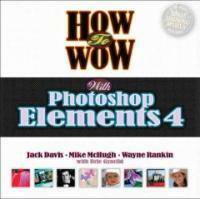
| 245 | 1 0 | ▼a How to wow with Photoshop Elements 4 / ▼c Jack Davis, Mike McHugh and Wayne Rankin. |
| 260 | ▼a Berkeley, Calif. : ▼b Peachpit ; ▼a London : ▼b Pearson Education [distributor] , ▼c 2006. | |
| 300 | ▼a 174 p. : ▼b col. ill. ; ▼c 23 cm. + ▼e 1 CD-ROM (4 3/4 in.). | |
| 630 | 0 0 | ▼a Adobe Photoshop elements. |
| 700 | 1 | ▼a McHugh, Mike. |
| 700 | 1 | ▼a Rankin, Wayne. |
| 945 | ▼a KINS |
소장정보
| No. | 소장처 | 청구기호 | 등록번호 | 도서상태 | 반납예정일 | 예약 | 서비스 |
|---|---|---|---|---|---|---|---|
| No. 1 | 소장처 중앙도서관/서고6층/ | 청구기호 006.686 D262h | 등록번호 111444341 | 도서상태 대출가능 | 반납예정일 | 예약 | 서비스 |
컨텐츠정보
책소개
Wouldn't it be great if you could have three of the world's most accomplished and sought after Photoshop teachers sitting next to you at your computer as you navigate the infinite possibilities of Adobe Photoshop Elements 4? How to Wow with Photoshop Elements 4 is the next best thing. Three Photoshop powerhouses--Jack Davis, Mike McHugh, and Wayne Rankin--all renowned authors, graphic designers, and trainers, have developed an effective way to help you reach your full creative potential. Jack, Mike, and Wayne guide you step-by-step through real-world projects, with an emphasis on uncompromising quality, last-minute flexibility, and go-home-at-night speed! You'll learn tips and techniques on everything from common workflow problems and exciting photo enhancing techniques to custom projects and presentations using Photoshop Elements 4. Whether it's optimizing the color and tone of your image, retouching cosmetic undesirables, or creating custom presentations, you’re given the tools at every stage of the creative process in order to learn How to Wow! This book begins with the essentials of workflow (including Sizing Images, Working with Layers, and Color Management) and then moves on to photo organizing and optimizing and retouching and enhancing. Next comes the fun with creative projects such as texturing your images and turning them into works of art, applying a virtual tattoo, creating custom wrapping paper, producing a multimedia presentation, making a Web photo gallery, and more. The How to Wow! companion CD makes it a snap and is packed with everything you need to work through the projects in the book and start creating your own graphics that wow! This book is for Windows users only.
정보제공 :

저자소개
잭 데이비스(지은이)
남 캘리포니아 와우! 본사 사무실을 기반으로 전세계적으로 각종 강의와 워크숍을 이끌고 있다. 데이비스는 JHDavis Design 회사의 대표이며 뛰어난 디자이너 겸 일러스트레이터이다. 컴퓨터 그래픽과 디자인에 관한 각종 글과 책을 집필해 오고 있다.
Brie Gyncild(지은이)
Wayne Rankin(지은이)
Mike McHugh(지은이)